No monthly fee home security
The camera was the cheap part.
The subscription is what gets you.
Home security is sold at hardware prices and billed like software. Here is how to buy a camera that still records after the free trial ends.

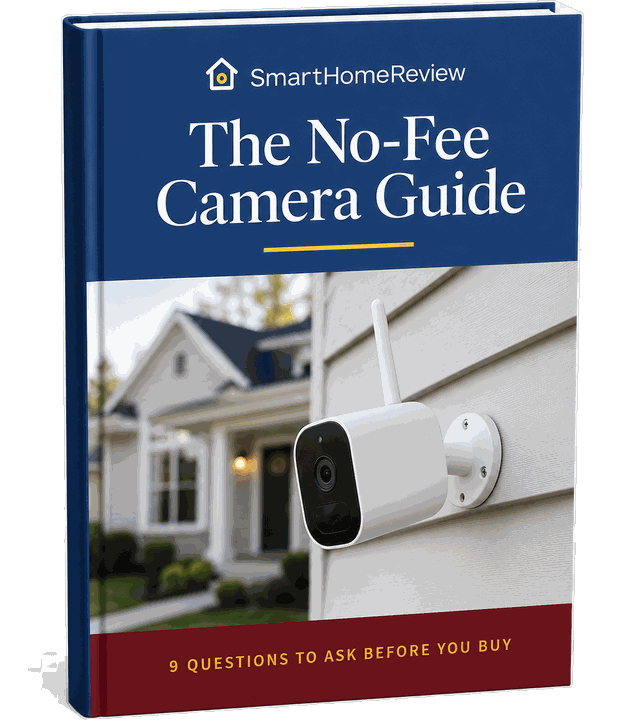
Free guide
Get the free No-Fee Camera Guide
A short guide to buying home security that keeps working with no plan attached. Sent straight to your inbox.
The 9 questions it answers
- 01 Where does my video actually go, card, home base or cloud?
- 02 Which features keep working if I never subscribe?
- 03 How do I spot a subscription trap on a spec sheet?
- 04 What does a no-fee setup really cost over three years?
Plus five more, from Wi-Fi free options to what changes when you add a second camera.
We respect your privacy. Unsubscribe anytime.
The three pieces
Gear that does not need a plan.
Every no-fee setup is built from the same three parts. Get these right and the monthly bill never starts.

Local storage cameras
Video written to a microSD card or a home base you keep, so recording never depends on a cloud plan.
No plan to record
No-fee video doorbells
The busiest camera in the house. Choose one that saves clips locally and the front door is covered for free.
Front door covered
Keyless entry locks
Codes and fingerprints managed on the lock itself, with no monitoring contract behind them.
No contractYou are not the first to be surprised
You bought a camera.
Then the app asked for a card.
It usually starts the same way. A package goes missing, someone tries a car door at 2am, or you simply want to see the front step from work. You buy a camera, you mount it, and for the first month everything works exactly as advertised.
Then the trial quietly ends. Live view still works, but the one clip you actually needed was never saved. The alert that would have told you who was at the door has become a paid feature.

The hook
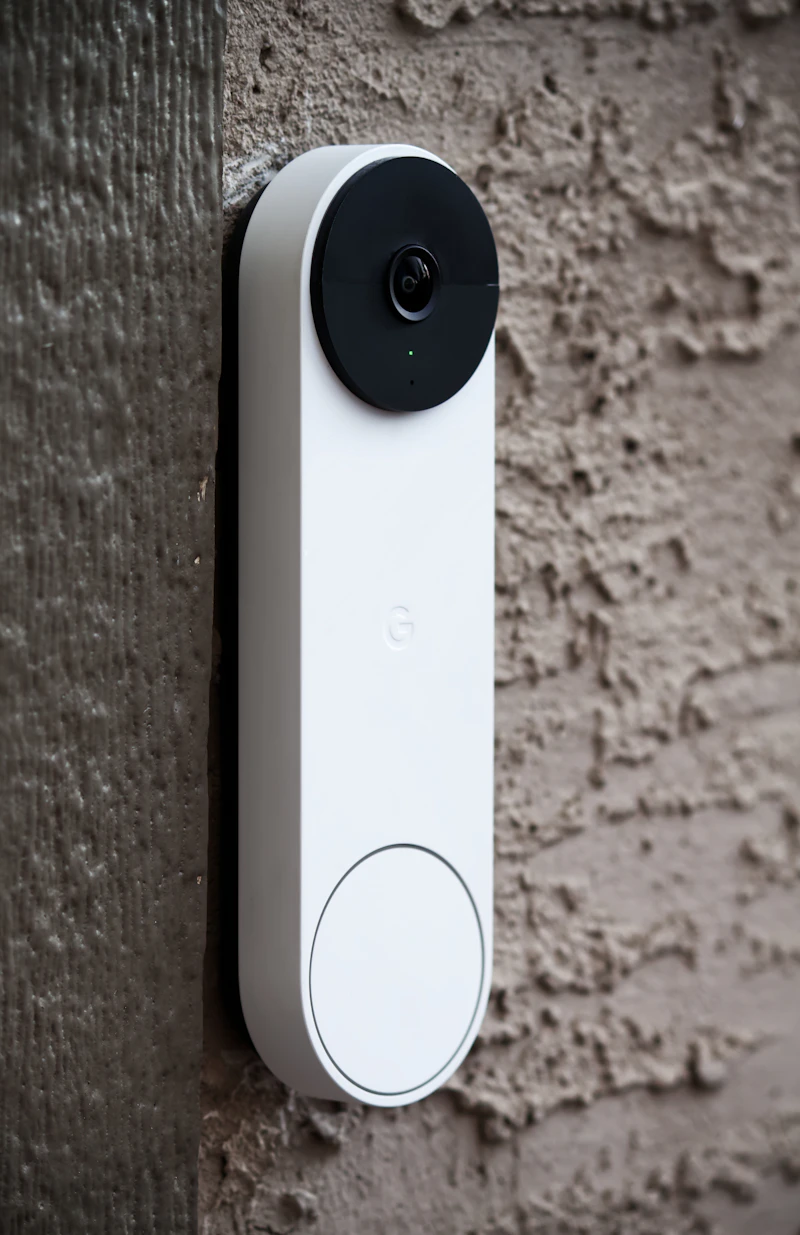
Cheap hardware
The camera is priced to be an easy yes. That price is the entry fee, not the total.
The switch
Features expire
When the trial ends, the parts that made the camera useful are the parts that get gated.

The lock-in
Footage you rent
Once the recordings live in someone else's cloud, leaving means starting over.
None of that means you have to keep paying. It means you have to know what to look for before you buy.
See it for yourself
What still works when you never subscribe?
Tap through the four things people actually use a camera for, and what happens to each one with no plan attached.
 REC
REC
Recording is a storage question.
If the camera writes to a card, a hub or a drive in your house, it keeps recording forever with no plan. If the only destination is the cloud, recording is a service you rent by the month.
 MOTION
Basic motion is free. Knowing what moved is not.
Almost every camera will tell you something moved. Telling you it was a person and not a passing car is the feature most brands put behind the plan, unless the detection runs on the device itself.
 02:14
02:14
Live view is not the same as evidence.
Watching in real time almost always stays free, because it costs the brand nothing. Going back to last Tuesday at 2am is the part that needs stored video, which is exactly what the plan sells you.
3 DEVICES
The second camera is where the price jumps.
Most plans are priced per camera or capped at one. Add a doorbell and a back yard camera and the plan that looked cheap moves up a tier. Local storage does not care how many cameras you own.
What is actually happening
A subscription is a process, not a switch.
Nobody hands you a bill on day one. The cost arrives in stages, and every stage is easy to miss while the camera still appears to be working.
How the monthly fee arrives
Before you buy
Everything is open
Storage type, offline features and plan requirements are all still your choice.
You decide hereWeek one
The free trial
Cloud recording and smart alerts are switched on, so nothing feels limited yet.
Still reversibleTrial ends
Clips stop saving
Live view continues, but recorded video is no longer kept for you to go back to.
Feature lock
Alerts get gated
Person, package and vehicle detection move behind the plan you did not sign up for.
Year two
It renews itself
A second camera pushes you to a bigger tier, and the plan renews at whatever it costs that year.
The worst thing you can do is assume the plan is optional. The second worst is to assume there is no camera that works without one.
SmartHomeReview
You have more room than you think
No monthly fee is not a loophole.
It is a hardware choice.
Cameras that record to a memory card, a base station or a drive inside your house do not need a cloud plan to do the job. Recording, alerts and playback all happen on equipment you already own.
Getting there comes down to two decisions most buyers skip while comparing megapixels: where the video is stored, and how the door itself is secured.
Sort those two out and "no monthly fee" stops being a marketing phrase and becomes your actual bill.
Step one. Storage you own.
Start with the storage, not the camera.
Storage is the hinge the whole subscription swings on. If the only place your footage can live is a company's cloud, you will pay every month forever, because you are not really renting a camera. You are renting the recording.
So the first thing to check on any camera is whether it records locally, and whether the useful features survive with no plan attached. eufy Security built its line around that answer: video saved to a card or a home base you keep, with detection running on the device itself.
The link below is a partner link. We may earn a commission if you buy through it, at no extra cost to you.

eufy Security
Cameras, doorbells and home base stations that record to storage you keep, so saving and reviewing footage does not require a monthly plan.
We may earn a commission if you buy through this link, at no extra cost to you.
Step two. The door itself.
A camera records the problem.
A lock prevents it.
Almost every clip worth keeping is a clip of a door. A camera is very good at telling you what happened there. It is not the thing that keeps the door shut.
Keyless entry closes the gap a camera cannot. No key under the mat, no spare copy still floating around from the previous owner, and a code you can change the day a contractor finishes. ULTRALOQ makes keypad and fingerprint deadbolts that run on their own, with no monitoring contract attached.

ULTRALOQ smart locks
Keypad and fingerprint deadbolts that work without a monitoring plan, so entry is controlled at the door instead of reviewed after the fact.
We may earn a commission if you buy through this link, at no extra cost to you.
Straight answers
The questions people ask first.
Do security cameras really work without a subscription?
Do any cameras work without Wi-Fi?
Where does my video actually go if I never pay?
Is a video doorbell without a subscription worth it?
Do I need a monitoring contract for a whole home security system?
Do smart locks need a monthly plan too?
Your next move
Buying once beats paying monthly.
You do not have to redo your whole setup tonight. You just have to stop guessing which features disappear when the trial ends. The free No-Fee Camera Guide answers the nine questions that decide whether a camera keeps charging you, from where the video is stored to what the setup costs over three years.
Get the guide and shop with it open.
Free, private, and written for people who would rather buy the hardware once.
Send me the free guideAbout
Why this site exists
SmartHomeReview covers home security gear for one specific reader: the person who wants the cameras without the monthly bill attached.
We buy the categories we write about, install them the way a normal household would, and judge them against one question above all others. What still works when you never subscribe? Storage type, offline features, app limits and the real cost after year one all get checked before anything is recommended here.
We are not a security company, an installer, or a monitoring service, and nothing on this site is professional security advice.
Affiliate disclosure
How this site makes money
Some links on this page are partner links. If you buy through one of them, we may earn a commission at no additional cost to you.
That commission never changes what we recommend or the order things appear in. We only point to brands whose products genuinely work without a subscription, because that is the entire premise of this site.
Privacy
What we do with your email
When you submit the form on this page, we collect your first name and email address for one purpose: to send you the free guide you requested and related follow-up information. We use AWeber to manage and deliver those emails.
We do not sell or rent your personal information. Every email includes an unsubscribe link, and you can opt out at any time. If you have questions about your data or want it removed, contact us using the email address included in our messages.